No, the new MacBook Neo doesn’t come with the most powerful Apple Silicon, the highest RAM options, or the most advanced display in Apple’s lineup. It also may not handle demanding professional apps like Final Cut Pro or Logic Pro without some limitations.
But despite that, the MacBook Neo could still become a surprisingly great tool for creators.
That idea rests on three main strengths: design, the Apple ecosystem, and macOS features.
A stylish design that stands out
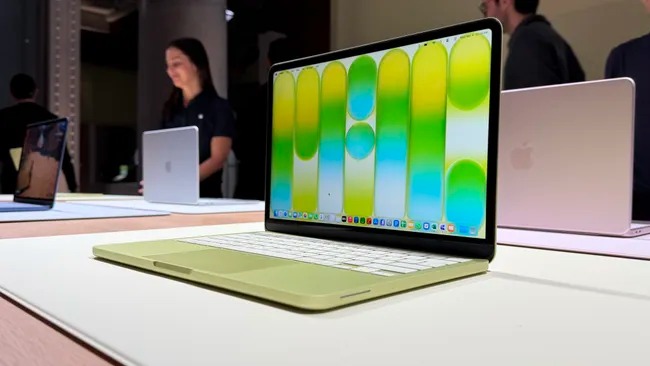
To begin with, the MacBook Neo looks fantastic. The laptop feels stylish and modern, with a sleek aluminum body and softly rounded corners that give it a premium feel. At 2.7 pounds, it’s just as light as the MacBook Air, although slightly thicker.
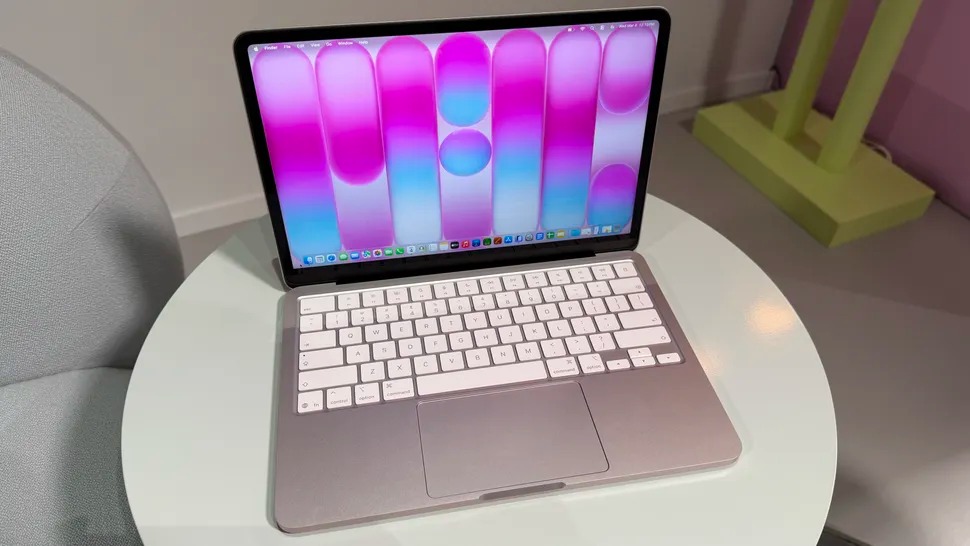
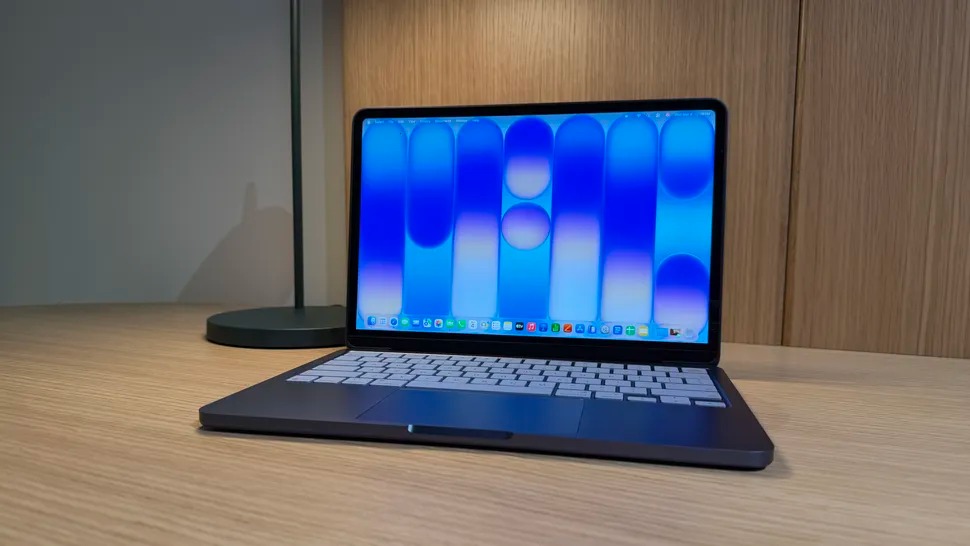
Apple is also offering the device in bold colors such as Citrus, Blush, Indigo, and Silver, making it a laptop that will likely stand out in cafés, campuses, and creative spaces.
One particularly appealing touch is the color-matched keyboard, something rarely seen on budget laptops. This detail adds personality and style, helping the Neo look far more premium than many similarly priced Chromebooks or Windows laptops.
The power of the Apple ecosystem
Another big advantage is how well the MacBook Neo works with other Apple devices. Products like the iPhone, AirPods, and iPad connect seamlessly.
For example, a user could write a script or note an idea on an iPhone and quickly paste it onto the Mac to continue working in Google Docs, Pages, or even an email draft.
For creators, however, the real highlight may be iPhone Mirroring.
Many creators today edit social media videos directly on their phones using apps like CapCut. These apps are powerful, but editing on a small screen can be limiting.
With iPhone Mirroring, those same apps can appear directly on the MacBook Neo’s 13-inch Liquid Retina display, effectively turning the laptop into a larger workspace for mobile editing tools. Creators can keep using familiar apps while benefiting from a trackpad, keyboard, and larger screen.
Expanding creative workflows
Because the laptop runs macOS 26, creators can also integrate other tools into their workflow. Assets can be dragged from Apple Photos, graphics created in Pixelmator Pro, or files accessed directly through Finder.
Once a project is finished, the MacBook Neo becomes a convenient place to manage files, organize media, or schedule posts using tools like TikTok Studio on the web.
In this sense, the Neo doesn’t replace the iPhone as a creative device—it extends it. The iPhone might capture and edit the content, while the MacBook Neo serves as the hub that ties the entire workflow together.
A compelling option for students
The value becomes even more appealing for students. With Apple’s education pricing, the MacBook Neo costs $499 (AU$749) instead of the regular $599 (AU$899). Pairing the laptop with Apple’s Creator Studio subscription unlocks additional creative tools such as Pixelmator Pro, Final Cut Pro, and Logic Pro, along with AI-powered features in productivity apps like Keynote and Numbers.
While the Neo might not be ideal for heavy professional workloads, it should run lighter creative apps such as iMovie, GarageBand, and Pixelmator Pro smoothly.
A capable Mac at a surprisingly low price
Even without flagship performance, the MacBook Neo still offers the essentials of the Mac experience. It includes a 1080p webcam, up to 16 hours of battery life, Spatial Audio speakers, and ships with a USB-C cable and 20W charger.
Ultimately, the MacBook Neo’s appeal isn’t just about individual specifications. It’s about how the design, software, and ecosystem come together to create a laptop that feels far more capable than its price suggests.
It may not rival the MacBook Pro or even the MacBook Air for demanding creative software, but for everyday creators and students, the MacBook Neo could easily become the Mac that most people choose.